6 Best Marketing Tools for Tattoo Artists and Studio Owners

Being a talented tattoo artist isn’t enough to fill your calendar. To grow your tattoo business and keep your schedule fully booked, you need the right marketing tools.

These help you attract new customers, drive repeat bookings, and implement different tattoo promotion ideas with less manual effort.

This guide lists the best marketing platforms you can use to promote your tattoo business. We'll also show you how Porter's all-in-one tattoo studio management software helps you attract loyal clients.

1. Porter: Best for SMS, Email Marketing and Getting Reviews
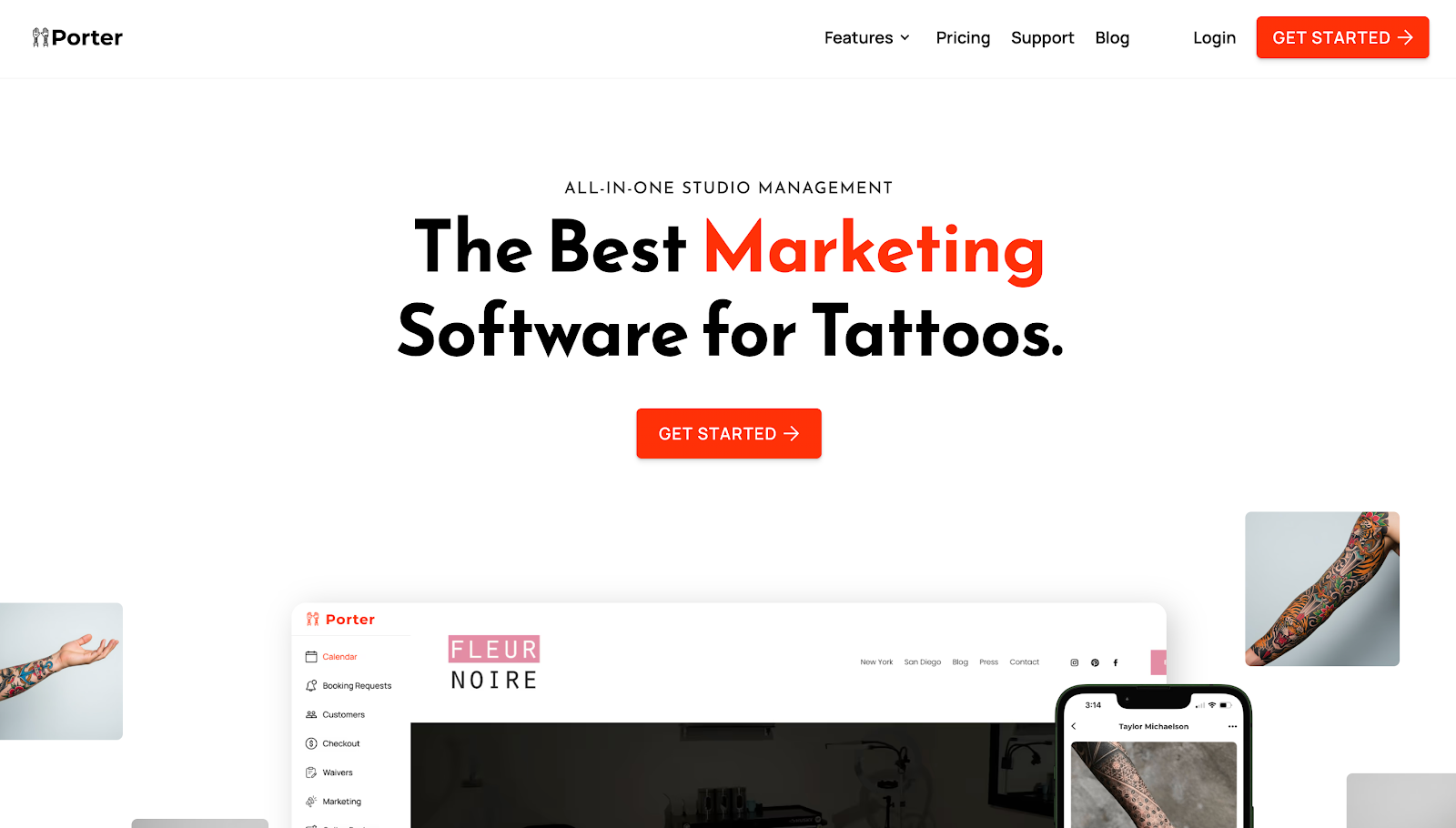
Porter tattoo marketing software

Porter offers a marketing tool built specifically for tattoo artists and studios. It includes built-in email and SMS campaigns designed to convert tattoo lovers into repeat clients.

Porter sends text messages to promote flash events and discounted offers that attract clients. These SMS blasts drive the highest response rates.

Porter text marketing

The platform also lets you design and send professional email campaigns that match your brand identity.

Porter even segments clients based on visit history, purchases, or appointment status. This means you can send personalized messages that lead to higher open rates, more bookings, and stronger client loyalty.

On top of these capabilities, it automatically reminds clients to leave online reviews. Manage all customer feedback and respond to potential issues directly in Porter.
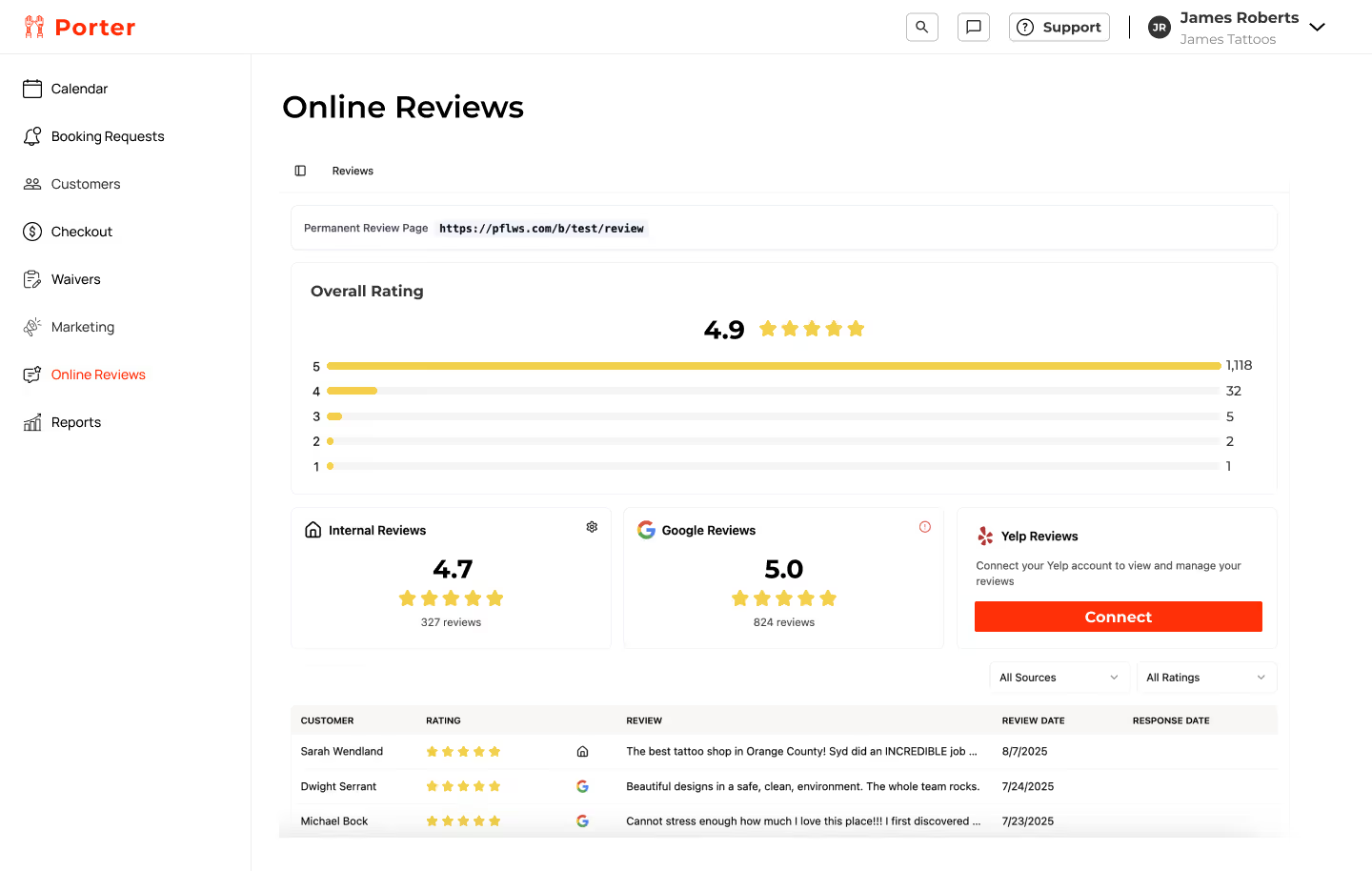
Porter online review management system

When happy customers leave five-star reviews, their feedback acts as digital word of mouth. These help you attract more clients faster than traditional marketing strategies (old-school flyers or paid Google Ads) ever could.

However, Porter is more than just another tattoo business marketing tool. It's the first all-in-one software that combines tattoo scheduling, payments, point of sale (POS), marketing, analytics, and CRM.

Get started today to receive up to 15% more appointments and 17% more revenue per appointment!

Key Features

Porter offers the following capabilities:

SMS and Email Campaigns
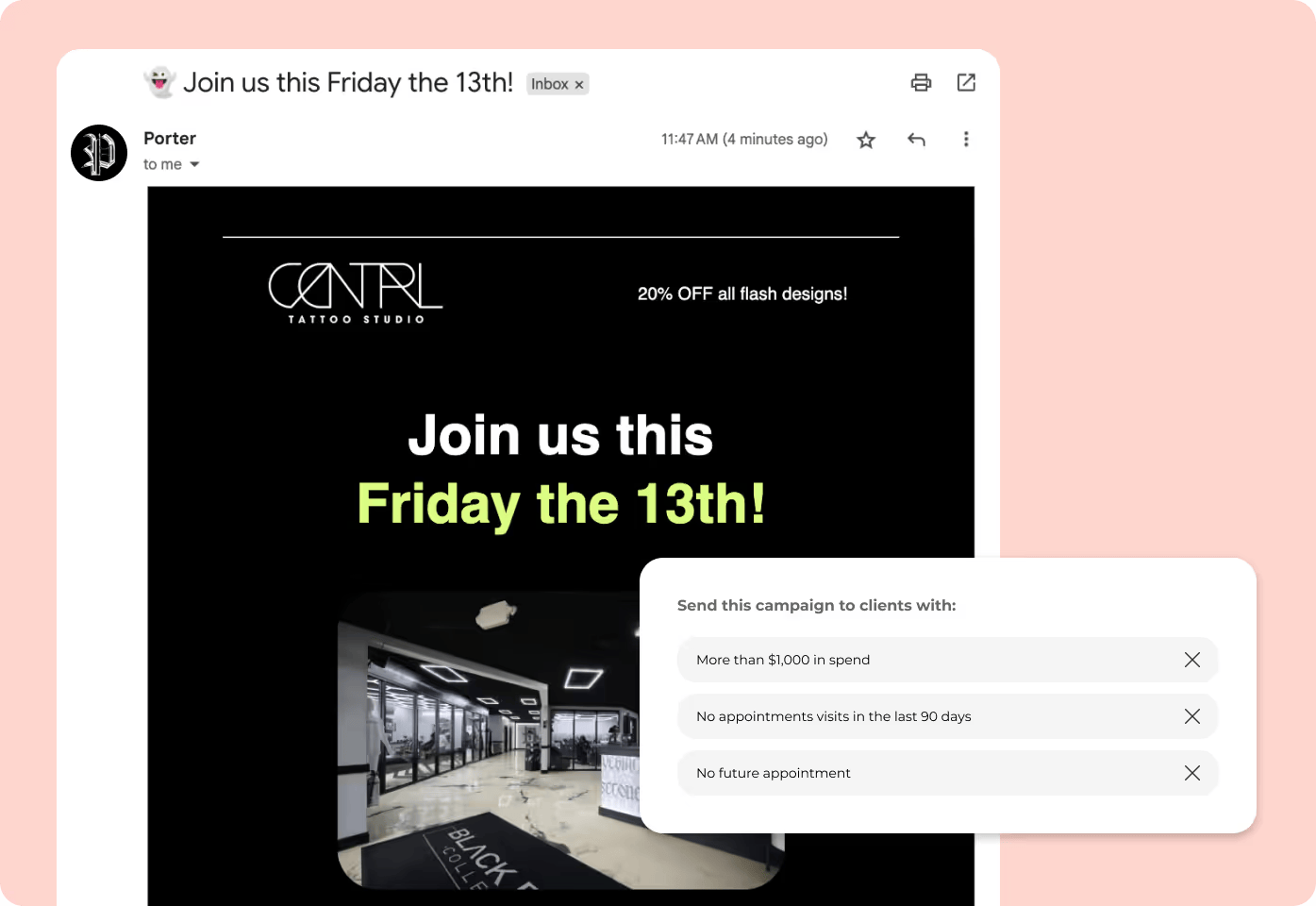
Porter tattoo marketing emails

With Porter, you can send branded SMS blasts or email campaigns to clients. Promote flash days, share updates, or engage customers in between appointments.

These texts and email messages help you stay on top of your clients' minds and drive repeat bookings.

Client Segmentation
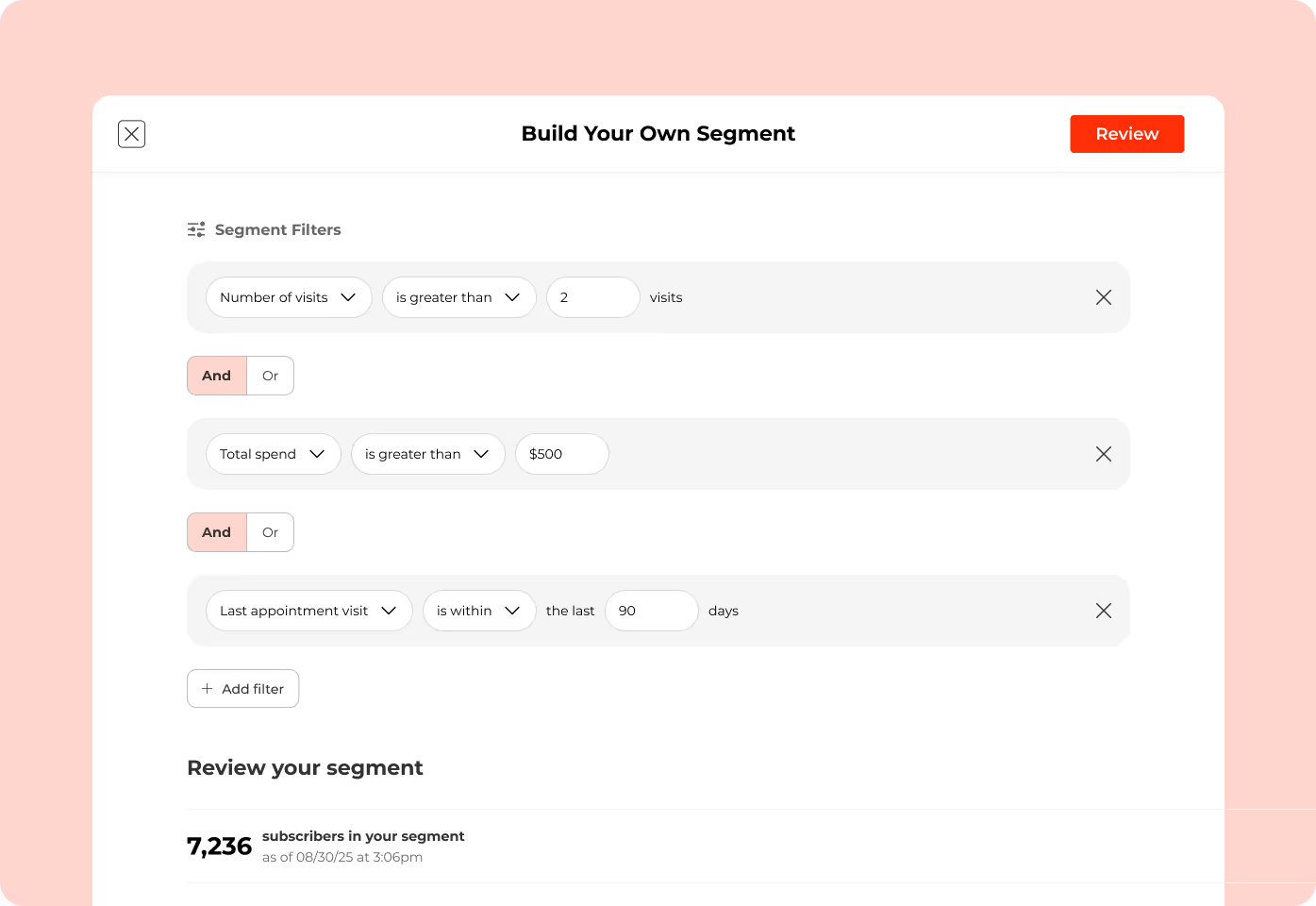
Porter tattoo customer segmentation

Porter filters clients by last visit, spending tier, visit frequency, service type, and other metrics. This helps you send personalized campaigns that are more likely to be read by your target audience.

Automated Review Collection
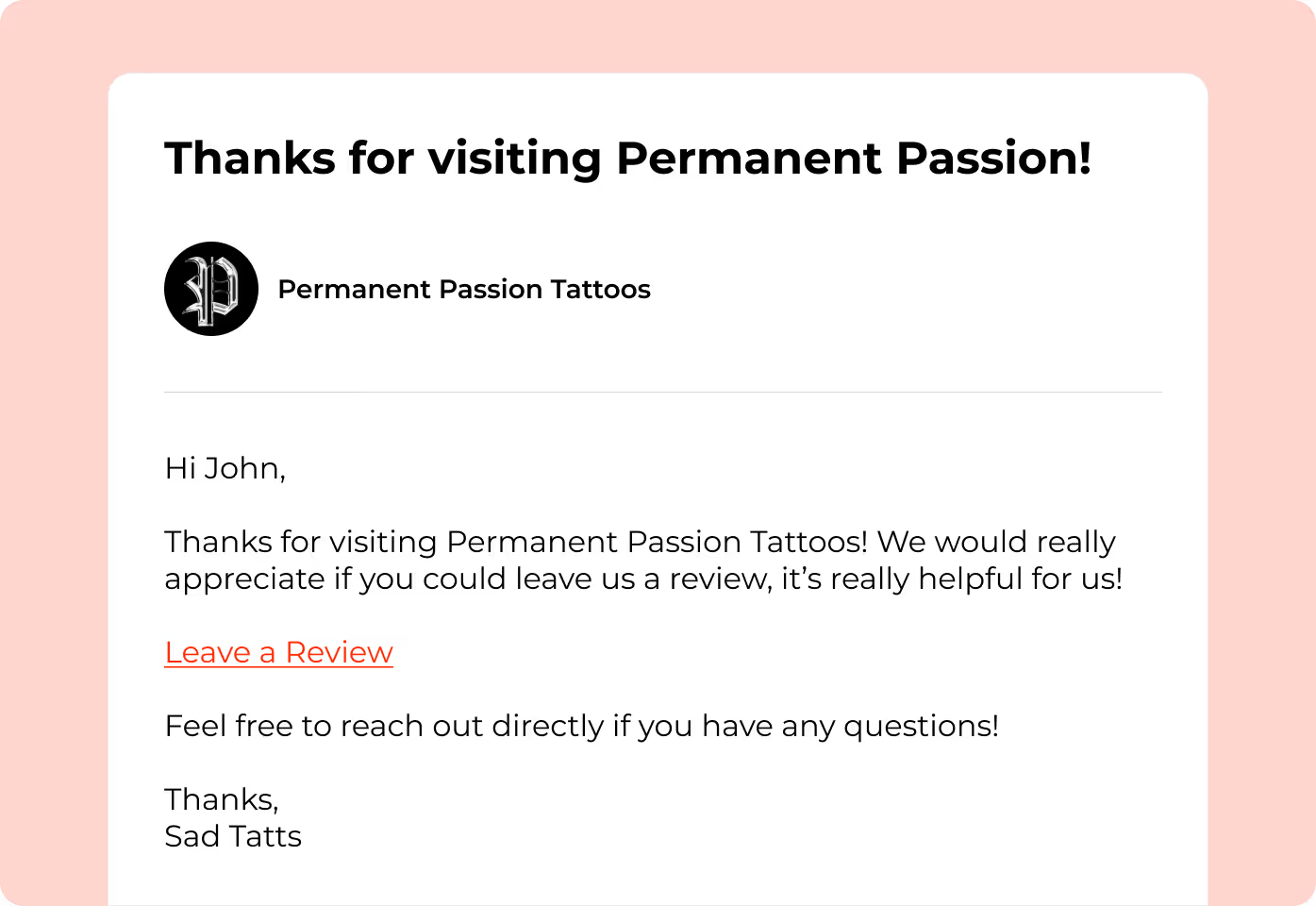
Porter collects tattoo reviews

After every appointment checkout, Porter automatically reminds customers to submit a review. Their feedback acts as social proof and helps you gain trust from new clients.

The platform also combines reviews from different platforms (internal, Google, and Yelp). This makes it easier to identify potential issues and respond directly to negative feedback.

Reports and Analytics
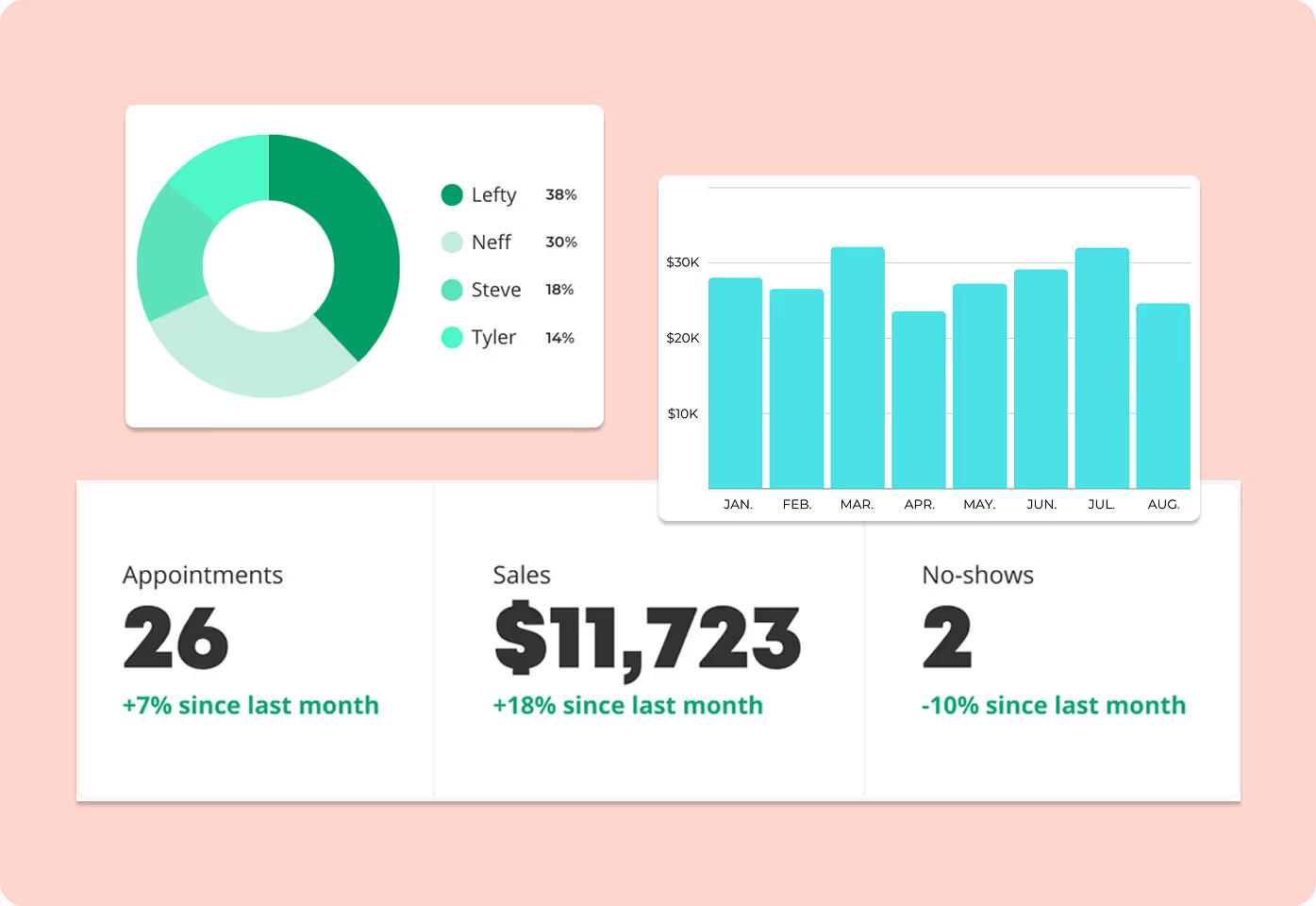
Porter marketing reports

Porter generates easy-to-read reports and analytics designed specifically for tattoo operations. View total sales, booking utilization, no-shows, and other important metrics.

Use these insights to refine your tattoo shop marketing ideas and keep your artists motivated.

Custom Booking Forms
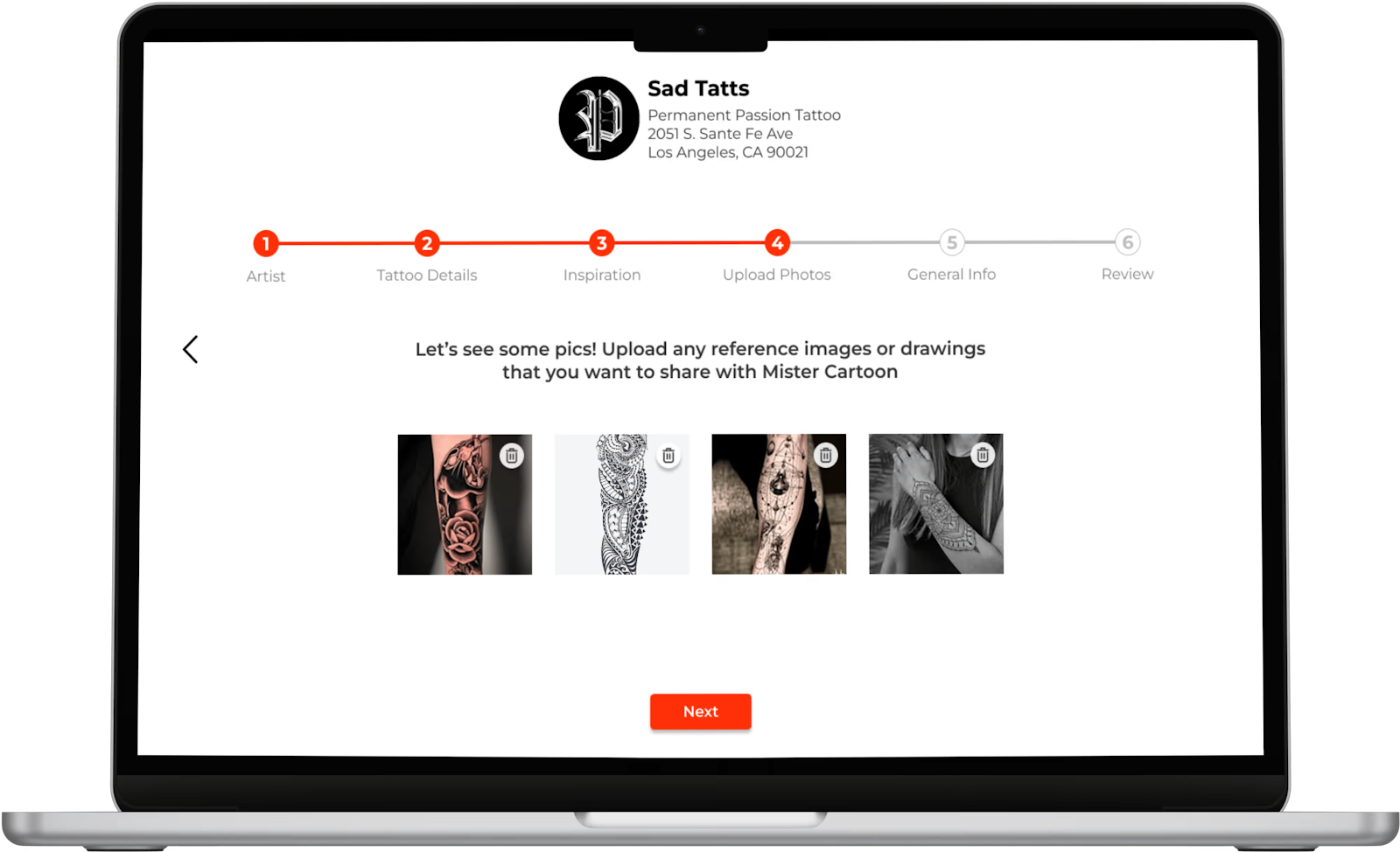
Porter tattoo booking forms

Porter lets you create tattoo appointment forms that collect all important customer details, such as tattoo design reference, size, and placement.

Clients book anytime by using your custom Porter link embedded on social media platforms or websites. Meanwhile, tattoo artists arrive prepared for every session and avoid miscommunication.

Automated Reminders and Aftercare Messages
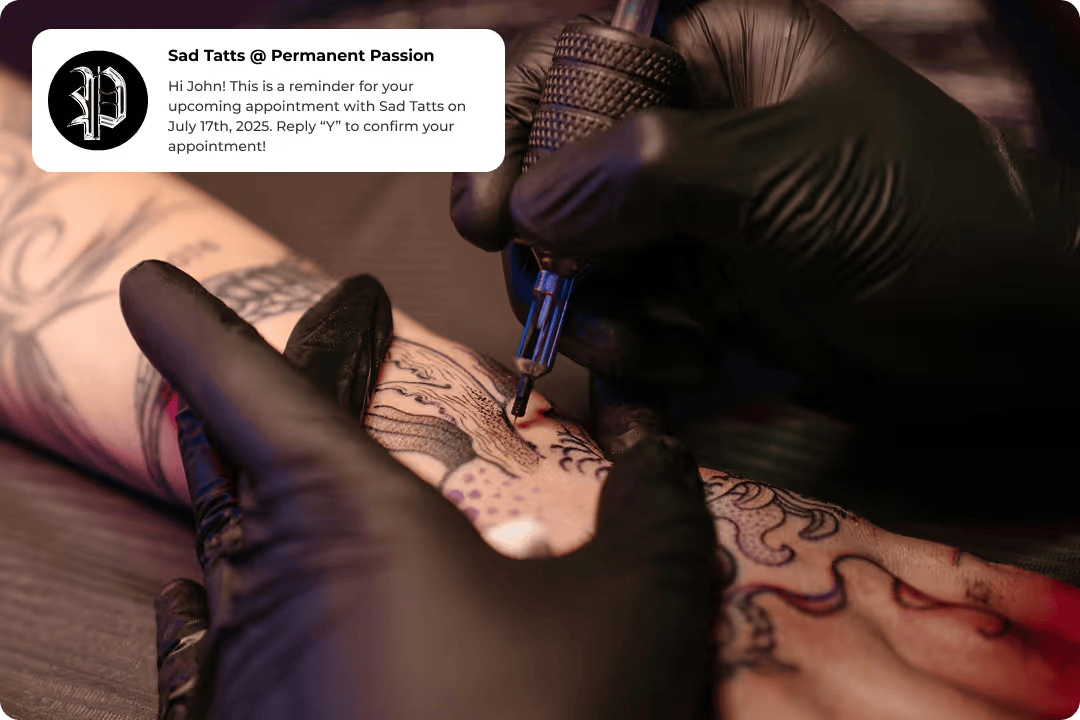
Porter automated tattoo reminders

Once an appointment is booked, Porter instantly sends reminders to protect your time and income. This leads to 68% fewer no-shows and late cancellations.

The platform also shares aftercare tips immediately after checkout. Clients learn how to take care of their finished tattoos.

Get started today to enjoy these features!

Digital Checkout Links

Porter checkout links and BNPL services

Porter sends checkout links through text or email. Clients can pay remotely using Apple Pay, Google Pay, or credit cards. No POS hardware needed.

The platform also handles branded receipts and follow-ups on unpaid balances. Plus, it offers a buy-now-pay-later (BNPL) service to increase average ticket size and order value.

POS Hardware
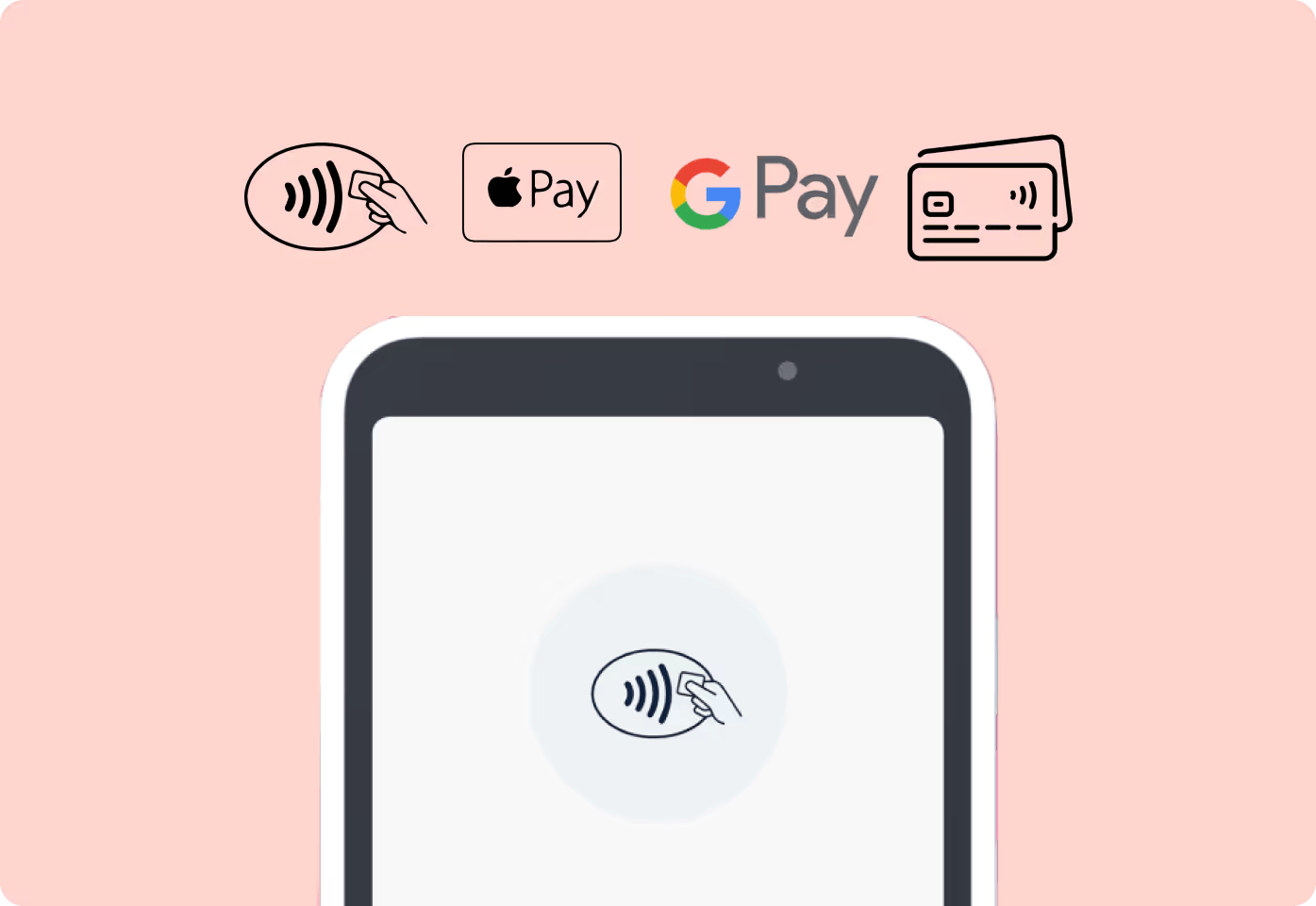
Porter tattoo point-of-sale system

Prefer a traditional checkout experience? Porter also includes a secure POS system for tattoo shops.

Customers can tap or swipe their physical cards at your front desk. Porter automatically monitors accounts for fraudulent activity and offers 100% chargeback protection.

2. Venue Ink: Best for Event Marketing
Venue
Source: Venue.ink

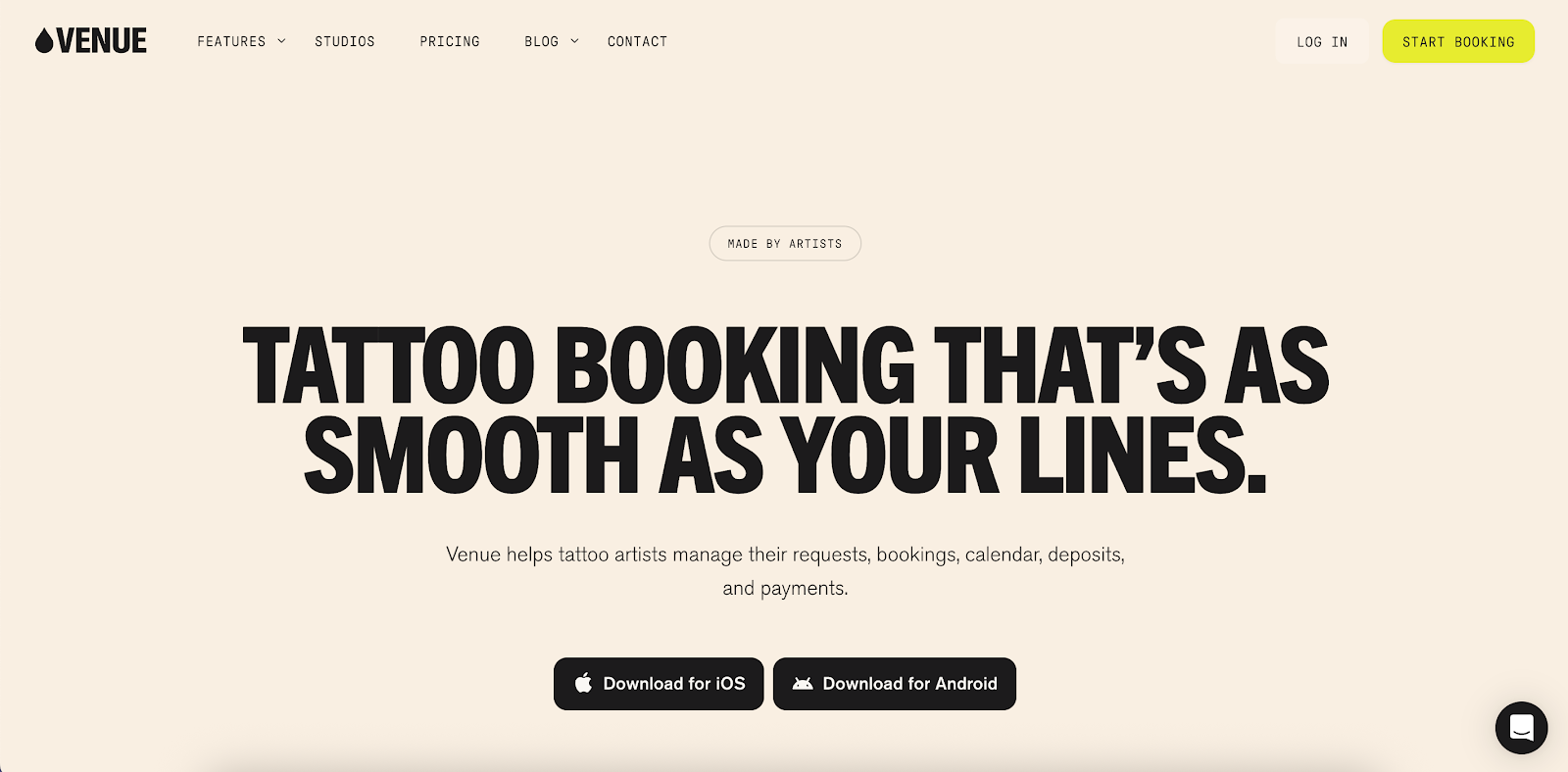
Venue Ink helps you advertise your tattoo parlor by hosting flash events and tattoo conventions.

The platform includes pre-made templates, multiple artist pages, and a unique Venue Ink booking link. This is where customers can browse your flash sheet, pick a time slot, and pay a tattoo deposit in one place. It eliminates the need for extra apps or spreadsheets.

Venue Ink's free tattoo platform lets you set the event date, specify the address, and create time slots for each artist. You can then share the event link to attract like-minded clients.

Plus, it enables you to upload your flash designs and mark them as available, booked, or sold. Clients choose their preferred art from your flash gallery. This way, you never miss an opportunity to sell a design.

In addition to these marketing tools, Venue Ink has appointment scheduling capabilities, online booking forms, and integrated payment processing.

Key Features

  • Event booking: Create a flash day or convention event in Venue Ink, set dates and times, and share a booking link. Clients can reserve spots without DMs or back-and-forth messages.
  • Flash upload management: Upload tattoo photo designs (your flash sheets), set prices, and mark availability. Customers browse your flash gallery and book instantly.
  • Appointment scheduling: Clients see your availability through a unique Venue Ink booking link and pick a time slot. This allows you to focus on creating art rather than juggling calendars.
  • Online booking forms: Create customizable intake forms to collect details (tattoo placement, references, medical info) before confirming the booking.
  • Deposit and payment collection: Require deposits to reduce no-shows and protect your income. You can accept payment through credit, debit, Apple Pay, Google Pay, and Affirm.

3. Canva: Best for Creating Promotional Graphics
Canva
Source: Canva.com

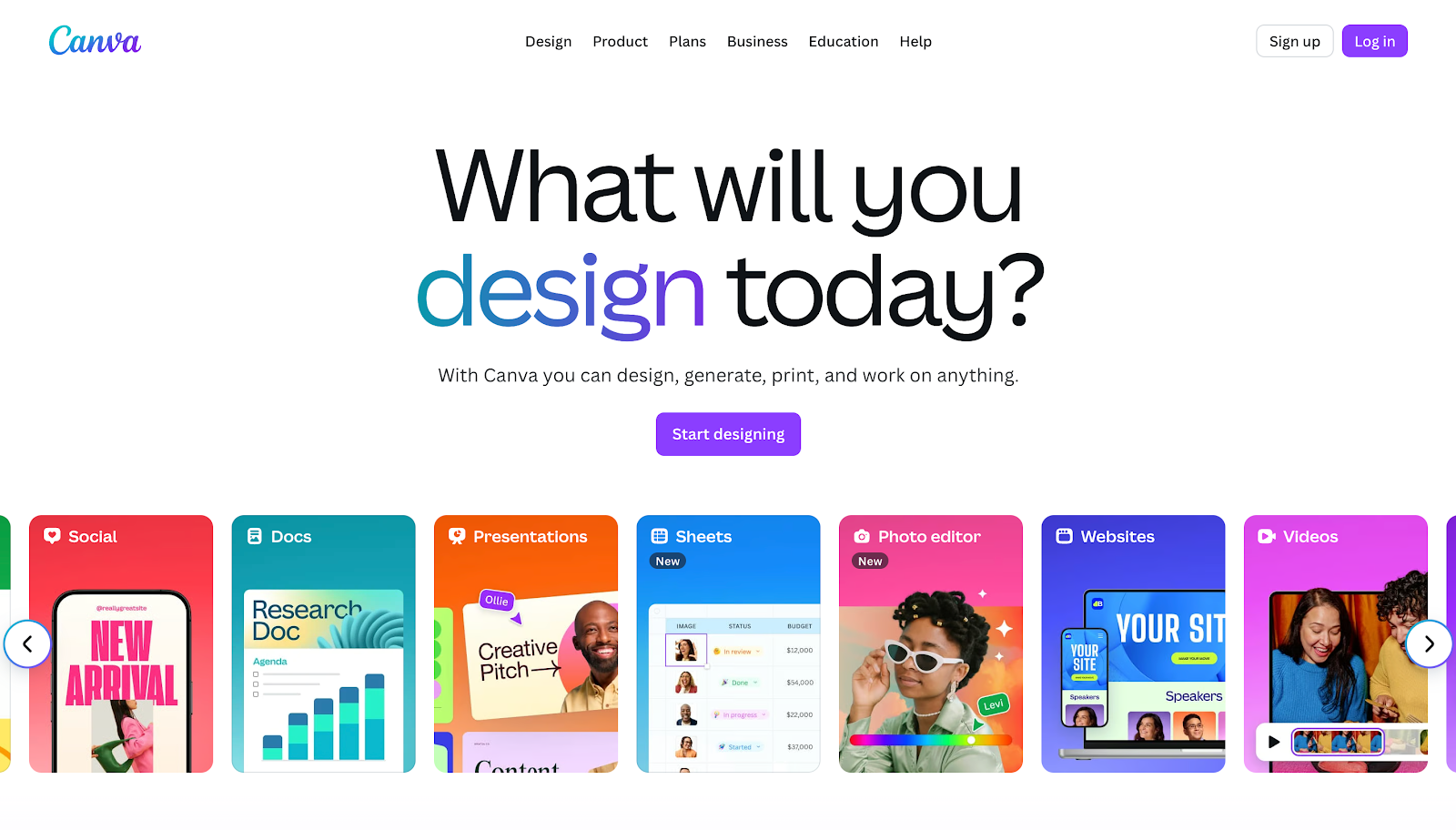
Canva is a user-friendly design platform that provides access to thousands of templates, images, fonts, and graphics.

You can design flyers, social media posts, banners, and promos that match your tattoo shop’s unique style, even without prior design skills or experience.

With Canva, you can also turn your tattoo photo portfolio into eye-catching promotional content. Upload high-quality images into pre-built layouts, add text overlays, and brand the visuals in minutes.

It’s a quick way to push campaigns for new flash lines, guest spots, or shop events, which can attract potential customers.

Plus, your designs stay consistent across every platform, thanks to Canva’s brand kit and content planner.

Key Features

  • Pre-built templates: Canva offers thousands of templates for flyers, social media posts, posters, and more, so you can quickly create tattoo marketing materials.
  • Brand management: Centralize your brand assets and stay consistent with every tattoo promotional graphic you share on social media or your website.
  • Creative digital tools: Use features like background remover, image drop shadows, effects, and filters to make your tattoo photos stand out in different styles.
  • Brand kit: Store your logos, brand fonts, and colors in one place. Then, apply them instantly to new designs so you never stray from your identity.
  • Real-time collaboration: Work with team members on a design, leave comments, make edits live, and see updates in real time.

4. CapCut: Best for Editing Videos and Short Reels
CapCut
Source: CapCut.com

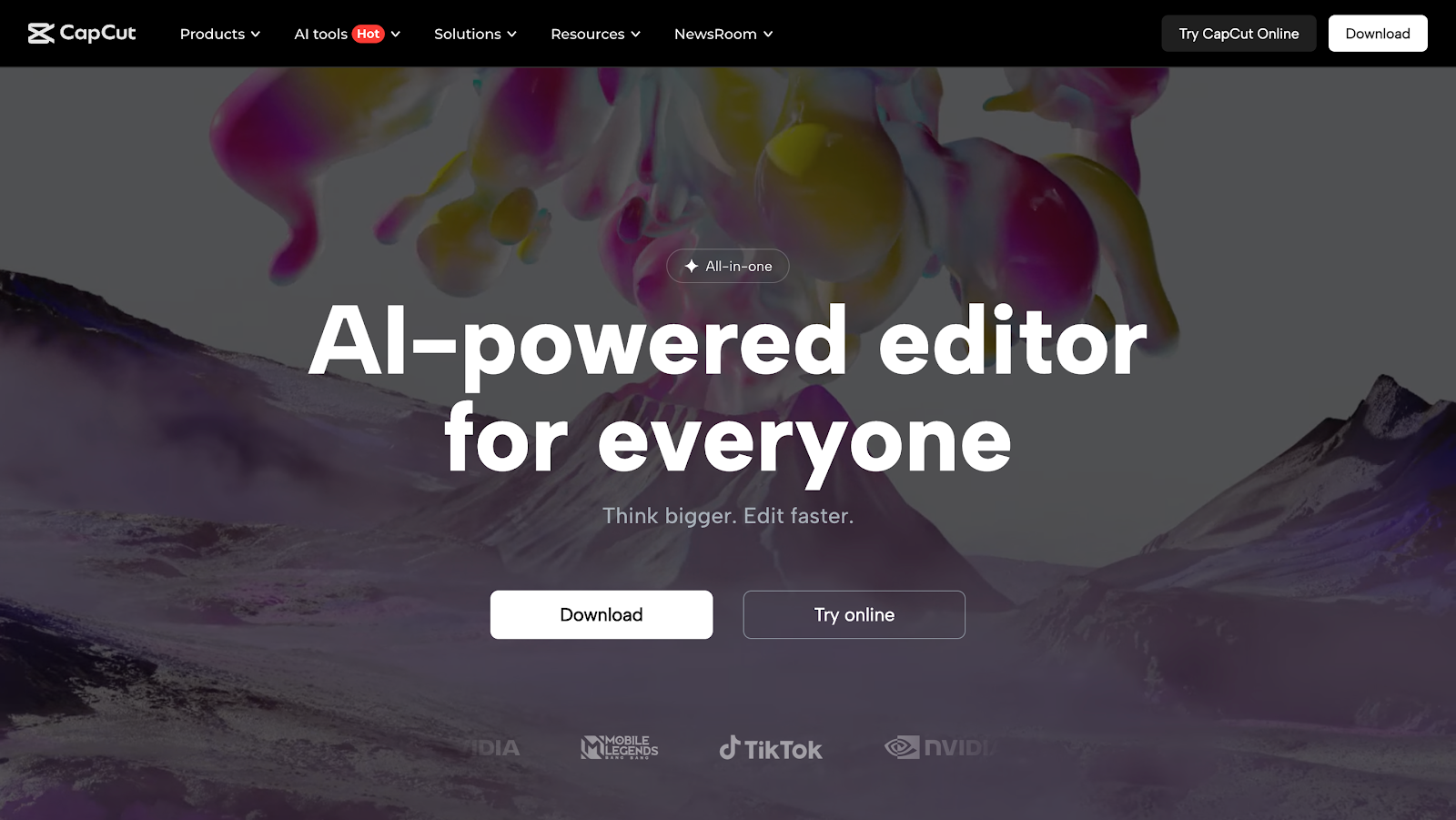
Videos are among the best ways to capture the visual nature of the tattooing process. CapCut lets you edit promotional videos or time-lapse videos that show needlework, shading, or cover-ups.

You can record a longer session, speed it up, and add music, text overlays, or effects, all within minutes. Then, share the clips to your social media accounts (Instagram, TikTok, and Facebook).

CapCut is compatible with browsers and mobile phones. It even includes tools like auto-captioning, effects, and templates that suit short video content.

Meanwhile, AI-powered features help you edit faster, so you spend less time behind the screen and more time on the next tattoo.

Key Features

  • Video editor: CapCut provides a full video editing workspace where you can trim, cut, merge clips, and adjust speed with ease.
  • Video effects and filters: Apply cinematic filters, overlays, transitions, and visual effects to make your tattoo promotional videos more compelling.
  • Transcript editing: Create transcripts in different languages to attract new audiences to your tattoo shop.
  • Automated captions: CapCut’s auto-caption feature generates on-screen text for your video, helping you reach viewers who watch without sound.
  • AI-powered tools: Background removal, smart scene transitions, and object tracking use AI to speed up complex edits and polish your marketing videos.

5. Hootsuite: Best for Social Media Marketing
Hootsuite
Source: Hootsuite.com

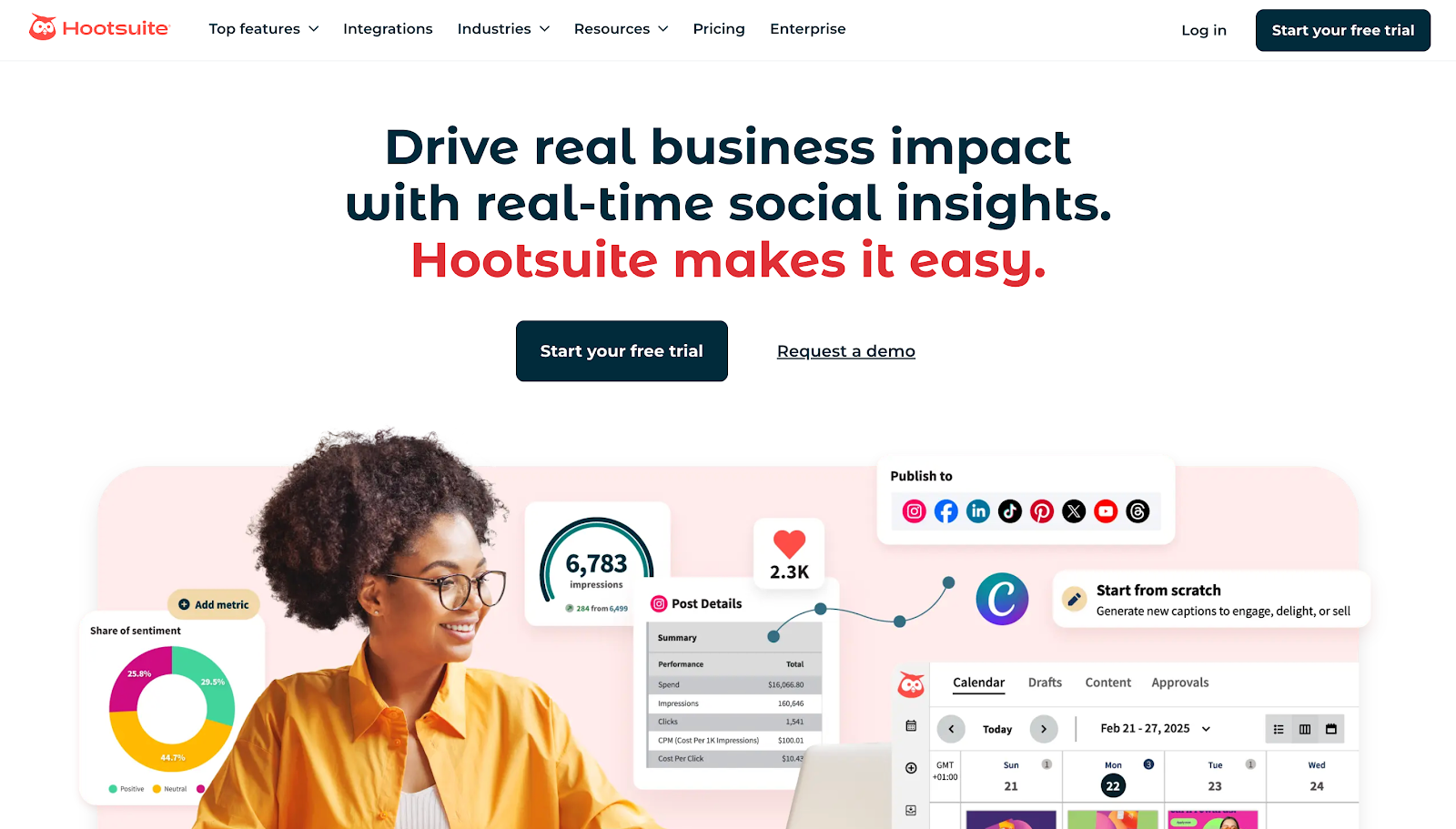
Hootsuite helps you manage your tattoo studio's social media presence. It lets you schedule posts across multiple platforms (Instagram, Facebook, TikTok, etc.) from a single dashboard.

With Hootsuite, you can also monitor comments, DMs, and mentions through a unified inbox. Respond quickly and engage your audience.

The platform also provides analytics, so you can identify which tattoo photos grab attention and when. You can then use those insights to refine your social media advertising strategies.

Plus, Hootsuite compares trends and tracks hashtags to see brand sentiment. This gives you unique tattoo promotion ideas for what to post.

Key Features

  • Social media scheduler: Plan and queue posts across Instagram, Facebook, TikTok, LinkedIn, and more in one calendar.
  • Audience engagement tools: Manage comments, messages, and mentions from a unified inbox for faster response and better client connection.
  • Social listening: Monitor relevant hashtags, brand mentions, or competitors to see what people say about your tattoo shop in real time.
  • Marketing analytics: Get data on post reach, engagement, follower growth, and content performance to fine-tune your tattoo marketing strategy.
  • Social advertising: Manage paid ad campaigns and boost organic posts directly through Hootsuite.

6. Google Business Profile: Best for Local SEO
Google Business Profile
Source: Business.google.com

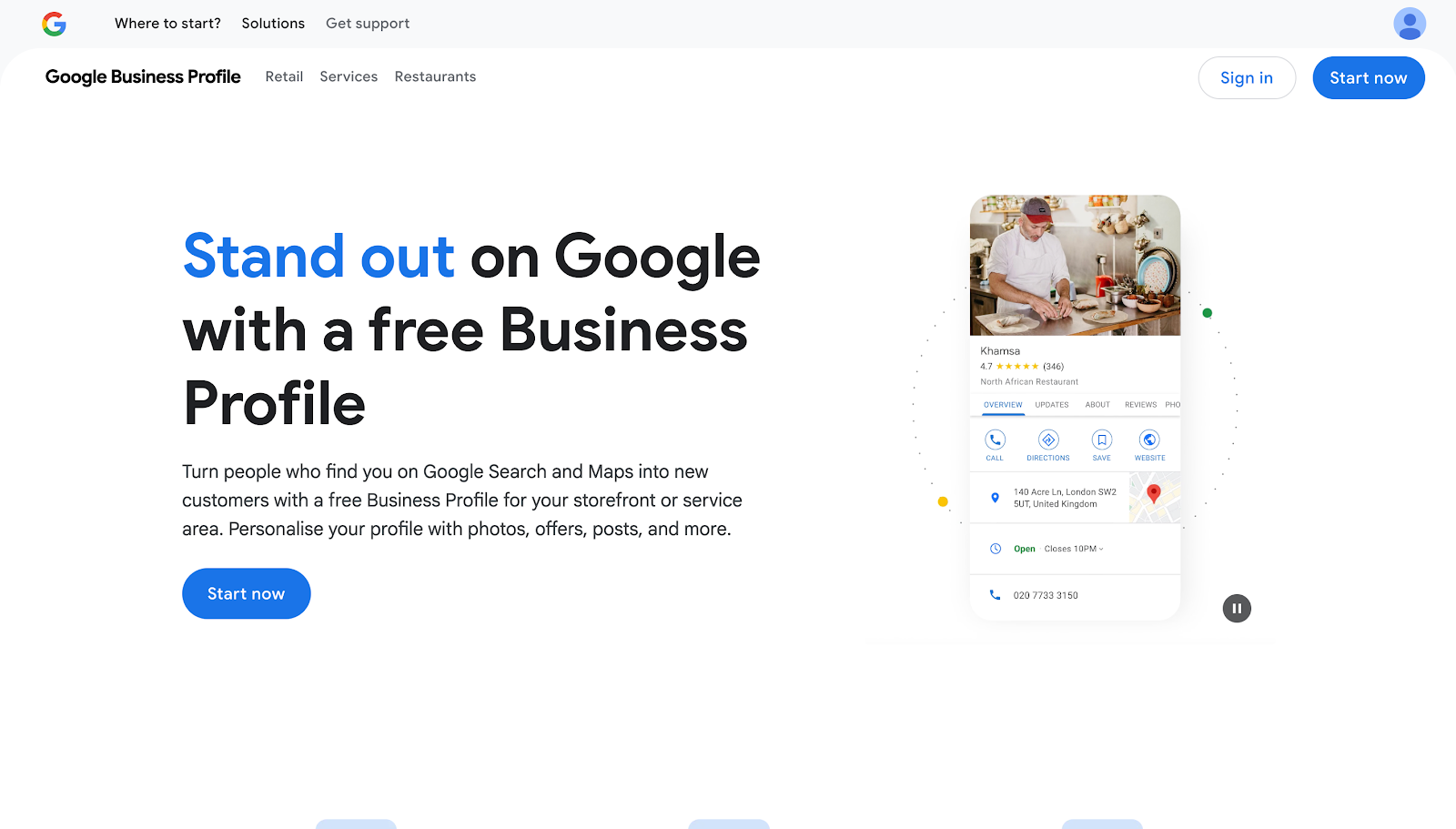
Google Business Profile is a free marketing tool that helps your tattoo shop get discovered in local search results and on Google Maps.

It acts as your digital storefront, where people can instantly see your business information without visiting your website.

A complete Google Business Profile helps potential clients to see who you are and what you do.

It’s also where customers leave public positive reviews, which act as free promotion. When people search for nearby tattoo artists, having an optimized profile can put your studio right at the top.

Key Features

  • Business information: Display your tattoo store’s address, hours, phone number, and website link so clients can easily find and contact you.
  • Photo and video upload: Share images and clips of your tattoos, studio space, or staff to give clients a sense of your unique style.
  • Online posts and offers: Promote discounts, charity events, membership programs, or new services directly through Google. Regular posts keep your listing active and increase engagement.
  • Review management: Collect and respond to client reviews to strengthen your tattoo studio's reputation. Positive feedback helps attract more walk-ins and bookings.
  • Integrated booking: Customers can schedule appointments right from Google Search or Maps, making it easier to convert interest into confirmed sessions.

How to Choose the Best Tattoo Shop Marketing Tool

Choosing the right tool can make your daily workflow smoother and your marketing efforts more successful. Here are some tips to keep in mind:

Define Your Marketing Goals

Start by outlining what you want to achieve. Do you want more bookings, stronger brand visibility, or improved client communication? Knowing your marketing goals helps narrow your choices.

For example, if you want to grow your client list, choose a tool focused on customer outreach, whether through email or text.

However, if you want to improve SEO visibility, consider using Google Business Profile and Google Analytics to measure success.

A clear plan makes sure you invest in marketing tools that align with your tattoo business growth.

Identify Your Potential Clients

Understanding who your clients are will help you find tools that support effective marketing strategies. Think about age groups, styles, and where your clients spend time online.

If your clients use Instagram more than Facebook, focus on social tools built for that platform.

For tattoo shops targeting walk-ins in your local community, SEO or review management tools make sense.

Matching your software choices to your audience’s habits makes sure your promotions resonate deeply and improve the results you get from your marketing efforts.

Consider Ease of Use

Pick a platform that’s simple to learn and manage daily. Consider a user-friendly dashboard, mobile access, and clear analytics to save time and reduce frustration.

You’ll get more done when you don’t waste hours figuring out settings or menus.

Always test a demo or free trial before committing. That way, you’ll see if the interface fits your workflow and allows you to handle marketing tasks confidently without hiring extra help.

Compare Key Features

Evaluate the most important features you need, like marketing automation, analytics, and content design. Each platform has strengths: some focus on client retention, while others prioritize creative design or social posting.

Compare several options before deciding which one best fits your tattoo studio’s goals.

Focus on marketing tools that save time, organize your schedule, and improve your online presence.

Check Integration With Other Apps

Your tattoo business likely uses online booking software, payment systems, and social media apps.

Choose tools that integrate with these systems to keep your booking process and communication organized.

Integrations also help avoid errors, reduce double work, and save time. For example, marketing platforms connected to your Google Business Profile let clients book directly after viewing your promotion while allowing you to manage online reviews.

Evaluate Pricing and Subscription Options

Budget matters, but you should always balance cost with features. Compare what you’ll get from free vs. paid plans, including marketing automation, support, and analytics.

Some tools charge monthly, while others bill annually at a discount. Many tattoo shops share subscriptions with other artists to cut expenses.

Remember, the best marketing software pays for itself when it helps you gain new clients or saves hours each week. Always choose flexible pricing that scales with your tattoo business.

Porter Sends Professional Campaigns Designed to Convert Tattoo Customers
Porter tattoo marketing tool

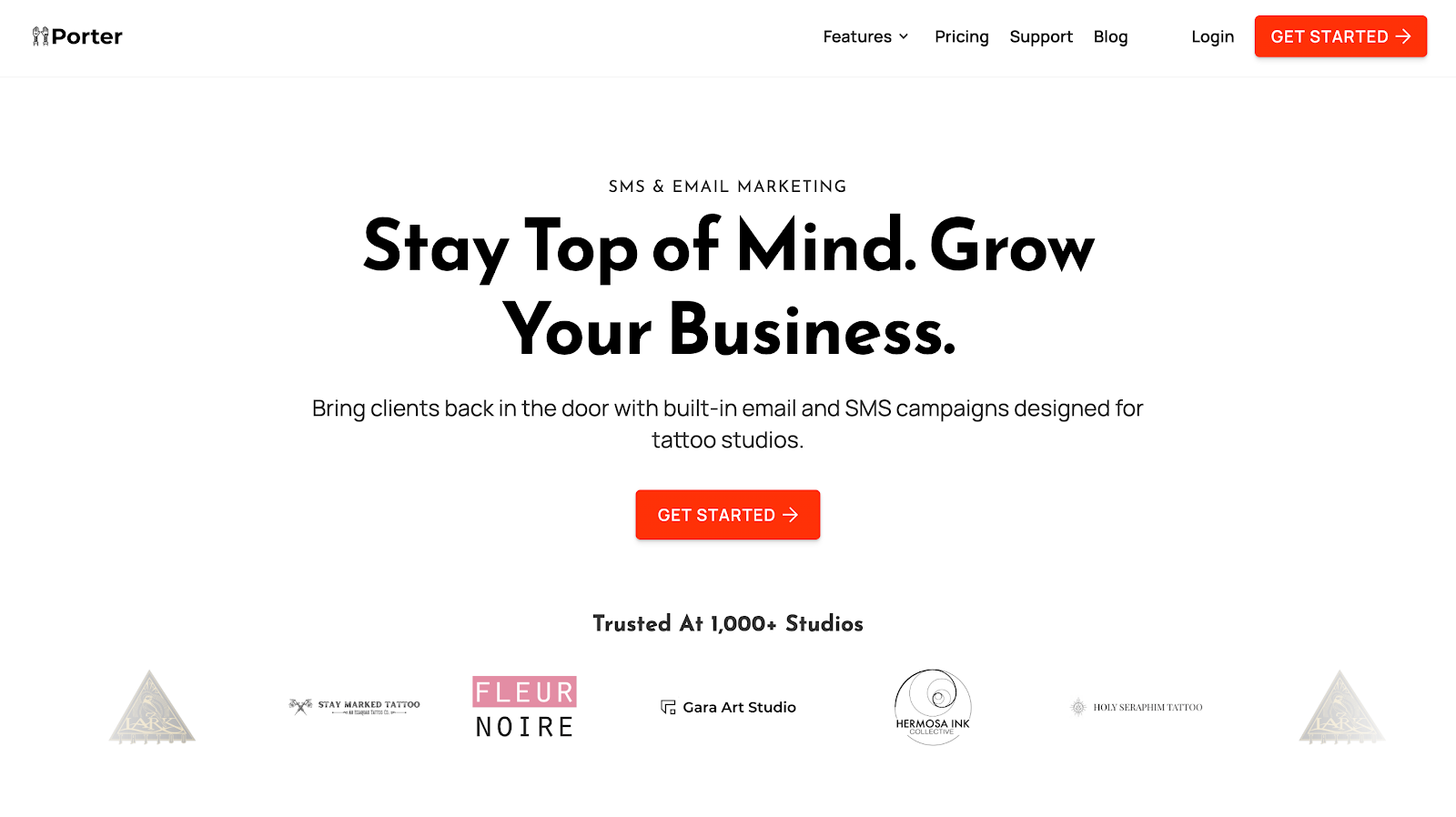
Porter helps you attract new clients and drive repeat bookings through SMS and email campaigns. The platform can promote flash events, share exclusive offers, and create lasting connections with customers using personalized messages.

Porter also lets you target the right client, thanks to its audience segmentation tool. Send campaigns based on the customer's visit history, appointments, purchases, and other key metrics.

However, Porter is more than a marketing tool. It offers an all-in-one studio management platform that combines booking, payments, POS, client relationship management, and analytics.

Get started today and grow your business with smart campaigns that work while you tattoo!

FAQs About Marketing Tools Tattoo

What are the best free marketing tools for tattoo artists?

The best free marketing tools include Canva for graphic design, CapCut for video editing, and Google Business Profile for online search visibility. Porter also offers a free trial for tattoo artists and studio owners who want to send personalized campaigns that convert.

How do I promote my tattoo business online?

Start by building a strong social media presence and keeping your Google Business Profile up to date. Share your portfolio, post behind-the-scenes videos, and encourage clients to leave reviews.

Partnering with local businesses also helps you reach new clients who would be interested in getting tattooed.

Which social platforms are best for tattoo studios?

Instagram and TikTok are the best social media platforms for tattoo studios because they focus on visuals. Upload tattoo progress clips, time-lapse reels, and flash designs to attract attention.

You should also regularly check trends and hashtags to promote your tattoo business more effectively.

What are the best tattoo studio marketing strategies?

Unique marketing strategies include offering flash day promos, limited designs, membership programs, or loyalty discounts. Consider collaborating with local influencers to attract new customers who trust their recommendations.

Being a talented tattoo artist isn’t enough to fill your calendar. To grow your tattoo business and keep your schedule fully booked, you need the right marketing tools.

These help you attract new customers, drive repeat bookings, and implement different tattoo promotion ideas with less manual effort.

This guide lists the best marketing platforms you can use to promote your tattoo business. We'll also show you how Porter's all-in-one tattoo studio management software helps you attract loyal clients.

1. Porter: Best for SMS, Email Marketing and Getting Reviews

Porter tattoo marketing software

Porter offers a marketing tool built specifically for tattoo artists and studios. It includes built-in email and SMS campaigns designed to convert tattoo lovers into repeat clients.

Porter sends text messages to promote flash events and discounted offers that attract clients. These SMS blasts drive the highest response rates.

Porter text marketing

The platform also lets you design and send professional email campaigns that match your brand identity.

Porter even segments clients based on visit history, purchases, or appointment status. This means you can send personalized messages that lead to higher open rates, more bookings, and stronger client loyalty.

On top of these capabilities, it automatically reminds clients to leave online reviews. Manage all customer feedback and respond to potential issues directly in Porter.

Porter online review management system

When happy customers leave five-star reviews, their feedback acts as digital word of mouth. These help you attract more clients faster than traditional marketing strategies (old-school flyers or paid Google Ads) ever could.

However, Porter is more than just another tattoo business marketing tool. It's the first all-in-one software that combines tattoo scheduling, payments, point of sale (POS), marketing, analytics, and CRM.

Get started today to receive up to 15% more appointments and 17% more revenue per appointment!

Key Features

Porter offers the following capabilities:

SMS and Email Campaigns

Porter tattoo marketing emails

With Porter, you can send branded SMS blasts or email campaigns to clients. Promote flash days, share updates, or engage customers in between appointments.

These texts and email messages help you stay on top of your clients' minds and drive repeat bookings.

Client Segmentation

Porter tattoo customer segmentation

Porter filters clients by last visit, spending tier, visit frequency, service type, and other metrics. This helps you send personalized campaigns that are more likely to be read by your target audience.

Automated Review Collection

Porter collects tattoo reviews

After every appointment checkout, Porter automatically reminds customers to submit a review. Their feedback acts as social proof and helps you gain trust from new clients.

The platform also combines reviews from different platforms (internal, Google, and Yelp). This makes it easier to identify potential issues and respond directly to negative feedback.

Reports and Analytics

Porter marketing reports

Porter generates easy-to-read reports and analytics designed specifically for tattoo operations. View total sales, booking utilization, no-shows, and other important metrics.

Use these insights to refine your tattoo shop marketing ideas and keep your artists motivated.

Custom Booking Forms

Porter tattoo booking forms

Porter lets you create tattoo appointment forms that collect all important customer details, such as tattoo design reference, size, and placement.

Clients book anytime by using your custom Porter link embedded on social media platforms or websites. Meanwhile, tattoo artists arrive prepared for every session and avoid miscommunication.

Automated Reminders and Aftercare Messages

Porter automated tattoo reminders

Once an appointment is booked, Porter instantly sends reminders to protect your time and income. This leads to 68% fewer no-shows and late cancellations.

The platform also shares aftercare tips immediately after checkout. Clients learn how to take care of their finished tattoos.

Get started today to enjoy these features!

Digital Checkout Links

Porter checkout links and BNPL services

Porter sends checkout links through text or email. Clients can pay remotely using Apple Pay, Google Pay, or credit cards. No POS hardware needed.

The platform also handles branded receipts and follow-ups on unpaid balances. Plus, it offers a buy-now-pay-later (BNPL) service to increase average ticket size and order value.

POS Hardware

Porter tattoo point-of-sale system

Prefer a traditional checkout experience? Porter also includes a secure POS system for tattoo shops.

Customers can tap or swipe their physical cards at your front desk. Porter automatically monitors accounts for fraudulent activity and offers 100% chargeback protection.

2. Venue Ink: Best for Event Marketing

Venue
Source: Venue.ink

Venue Ink helps you advertise your tattoo parlor by hosting flash events and tattoo conventions.

The platform includes pre-made templates, multiple artist pages, and a unique Venue Ink booking link. This is where customers can browse your flash sheet, pick a time slot, and pay a tattoo deposit in one place. It eliminates the need for extra apps or spreadsheets.

Venue Ink's free tattoo platform lets you set the event date, specify the address, and create time slots for each artist. You can then share the event link to attract like-minded clients.

Plus, it enables you to upload your flash designs and mark them as available, booked, or sold. Clients choose their preferred art from your flash gallery. This way, you never miss an opportunity to sell a design.

In addition to these marketing tools, Venue Ink has appointment scheduling capabilities, online booking forms, and integrated payment processing.

Key Features

  • Event booking: Create a flash day or convention event in Venue Ink, set dates and times, and share a booking link. Clients can reserve spots without DMs or back-and-forth messages.
  • Flash upload management: Upload tattoo photo designs (your flash sheets), set prices, and mark availability. Customers browse your flash gallery and book instantly.
  • Appointment scheduling: Clients see your availability through a unique Venue Ink booking link and pick a time slot. This allows you to focus on creating art rather than juggling calendars.
  • Online booking forms: Create customizable intake forms to collect details (tattoo placement, references, medical info) before confirming the booking.
  • Deposit and payment collection: Require deposits to reduce no-shows and protect your income. You can accept payment through credit, debit, Apple Pay, Google Pay, and Affirm.

3. Canva: Best for Creating Promotional Graphics

Canva
Source: Canva.com

Canva is a user-friendly design platform that provides access to thousands of templates, images, fonts, and graphics.

You can design flyers, social media posts, banners, and promos that match your tattoo shop’s unique style, even without prior design skills or experience.

With Canva, you can also turn your tattoo photo portfolio into eye-catching promotional content. Upload high-quality images into pre-built layouts, add text overlays, and brand the visuals in minutes.

It’s a quick way to push campaigns for new flash lines, guest spots, or shop events, which can attract potential customers.

Plus, your designs stay consistent across every platform, thanks to Canva’s brand kit and content planner.

Key Features

  • Pre-built templates: Canva offers thousands of templates for flyers, social media posts, posters, and more, so you can quickly create tattoo marketing materials.
  • Brand management: Centralize your brand assets and stay consistent with every tattoo promotional graphic you share on social media or your website.
  • Creative digital tools: Use features like background remover, image drop shadows, effects, and filters to make your tattoo photos stand out in different styles.
  • Brand kit: Store your logos, brand fonts, and colors in one place. Then, apply them instantly to new designs so you never stray from your identity.
  • Real-time collaboration: Work with team members on a design, leave comments, make edits live, and see updates in real time.

4. CapCut: Best for Editing Videos and Short Reels

CapCut
Source: CapCut.com

Videos are among the best ways to capture the visual nature of the tattooing process. CapCut lets you edit promotional videos or time-lapse videos that show needlework, shading, or cover-ups.

You can record a longer session, speed it up, and add music, text overlays, or effects, all within minutes. Then, share the clips to your social media accounts (Instagram, TikTok, and Facebook).

CapCut is compatible with browsers and mobile phones. It even includes tools like auto-captioning, effects, and templates that suit short video content.

Meanwhile, AI-powered features help you edit faster, so you spend less time behind the screen and more time on the next tattoo.

Key Features

  • Video editor: CapCut provides a full video editing workspace where you can trim, cut, merge clips, and adjust speed with ease.
  • Video effects and filters: Apply cinematic filters, overlays, transitions, and visual effects to make your tattoo promotional videos more compelling.
  • Transcript editing: Create transcripts in different languages to attract new audiences to your tattoo shop.
  • Automated captions: CapCut’s auto-caption feature generates on-screen text for your video, helping you reach viewers who watch without sound.
  • AI-powered tools: Background removal, smart scene transitions, and object tracking use AI to speed up complex edits and polish your marketing videos.

5. Hootsuite: Best for Social Media Marketing

Hootsuite
Source: Hootsuite.com

Hootsuite helps you manage your tattoo studio's social media presence. It lets you schedule posts across multiple platforms (Instagram, Facebook, TikTok, etc.) from a single dashboard.

With Hootsuite, you can also monitor comments, DMs, and mentions through a unified inbox. Respond quickly and engage your audience.

The platform also provides analytics, so you can identify which tattoo photos grab attention and when. You can then use those insights to refine your social media advertising strategies.

Plus, Hootsuite compares trends and tracks hashtags to see brand sentiment. This gives you unique tattoo promotion ideas for what to post.

Key Features

  • Social media scheduler: Plan and queue posts across Instagram, Facebook, TikTok, LinkedIn, and more in one calendar.
  • Audience engagement tools: Manage comments, messages, and mentions from a unified inbox for faster response and better client connection.
  • Social listening: Monitor relevant hashtags, brand mentions, or competitors to see what people say about your tattoo shop in real time.
  • Marketing analytics: Get data on post reach, engagement, follower growth, and content performance to fine-tune your tattoo marketing strategy.
  • Social advertising: Manage paid ad campaigns and boost organic posts directly through Hootsuite.

6. Google Business Profile: Best for Local SEO

Google Business Profile
Source: Business.google.com

Google Business Profile is a free marketing tool that helps your tattoo shop get discovered in local search results and on Google Maps.

It acts as your digital storefront, where people can instantly see your business information without visiting your website.

A complete Google Business Profile helps potential clients to see who you are and what you do.

It’s also where customers leave public positive reviews, which act as free promotion. When people search for nearby tattoo artists, having an optimized profile can put your studio right at the top.

Key Features

  • Business information: Display your tattoo store’s address, hours, phone number, and website link so clients can easily find and contact you.
  • Photo and video upload: Share images and clips of your tattoos, studio space, or staff to give clients a sense of your unique style.
  • Online posts and offers: Promote discounts, charity events, membership programs, or new services directly through Google. Regular posts keep your listing active and increase engagement.
  • Review management: Collect and respond to client reviews to strengthen your tattoo studio's reputation. Positive feedback helps attract more walk-ins and bookings.
  • Integrated booking: Customers can schedule appointments right from Google Search or Maps, making it easier to convert interest into confirmed sessions.

How to Choose the Best Tattoo Shop Marketing Tool

Choosing the right tool can make your daily workflow smoother and your marketing efforts more successful. Here are some tips to keep in mind:

Define Your Marketing Goals

Start by outlining what you want to achieve. Do you want more bookings, stronger brand visibility, or improved client communication? Knowing your marketing goals helps narrow your choices.

For example, if you want to grow your client list, choose a tool focused on customer outreach, whether through email or text.

However, if you want to improve SEO visibility, consider using Google Business Profile and Google Analytics to measure success.

A clear plan makes sure you invest in marketing tools that align with your tattoo business growth.

Identify Your Potential Clients

Understanding who your clients are will help you find tools that support effective marketing strategies. Think about age groups, styles, and where your clients spend time online.

If your clients use Instagram more than Facebook, focus on social tools built for that platform.

For tattoo shops targeting walk-ins in your local community, SEO or review management tools make sense.

Matching your software choices to your audience’s habits makes sure your promotions resonate deeply and improve the results you get from your marketing efforts.

Consider Ease of Use

Pick a platform that’s simple to learn and manage daily. Consider a user-friendly dashboard, mobile access, and clear analytics to save time and reduce frustration.

You’ll get more done when you don’t waste hours figuring out settings or menus.

Always test a demo or free trial before committing. That way, you’ll see if the interface fits your workflow and allows you to handle marketing tasks confidently without hiring extra help.

Compare Key Features

Evaluate the most important features you need, like marketing automation, analytics, and content design. Each platform has strengths: some focus on client retention, while others prioritize creative design or social posting.

Compare several options before deciding which one best fits your tattoo studio’s goals.

Focus on marketing tools that save time, organize your schedule, and improve your online presence.

Check Integration With Other Apps

Your tattoo business likely uses online booking software, payment systems, and social media apps.

Choose tools that integrate with these systems to keep your booking process and communication organized.

Integrations also help avoid errors, reduce double work, and save time. For example, marketing platforms connected to your Google Business Profile let clients book directly after viewing your promotion while allowing you to manage online reviews.

Evaluate Pricing and Subscription Options

Budget matters, but you should always balance cost with features. Compare what you’ll get from free vs. paid plans, including marketing automation, support, and analytics.

Some tools charge monthly, while others bill annually at a discount. Many tattoo shops share subscriptions with other artists to cut expenses.

Remember, the best marketing software pays for itself when it helps you gain new clients or saves hours each week. Always choose flexible pricing that scales with your tattoo business.

Porter Sends Professional Campaigns Designed to Convert Tattoo Customers

Porter tattoo marketing tool

Porter helps you attract new clients and drive repeat bookings through SMS and email campaigns. The platform can promote flash events, share exclusive offers, and create lasting connections with customers using personalized messages.

Porter also lets you target the right client, thanks to its audience segmentation tool. Send campaigns based on the customer's visit history, appointments, purchases, and other key metrics.

However, Porter is more than a marketing tool. It offers an all-in-one studio management platform that combines booking, payments, POS, client relationship management, and analytics.

Get started today and grow your business with smart campaigns that work while you tattoo!

FAQs About Marketing Tools Tattoo

What are the best free marketing tools for tattoo artists?

The best free marketing tools include Canva for graphic design, CapCut for video editing, and Google Business Profile for online search visibility. Porter also offers a free trial for tattoo artists and studio owners who want to send personalized campaigns that convert.

How do I promote my tattoo business online?

Start by building a strong social media presence and keeping your Google Business Profile up to date. Share your portfolio, post behind-the-scenes videos, and encourage clients to leave reviews.

Partnering with local businesses also helps you reach new clients who would be interested in getting tattooed.

Which social platforms are best for tattoo studios?

Instagram and TikTok are the best social media platforms for tattoo studios because they focus on visuals. Upload tattoo progress clips, time-lapse reels, and flash designs to attract attention.

You should also regularly check trends and hashtags to promote your tattoo business more effectively.

What are the best tattoo studio marketing strategies?

Unique marketing strategies include offering flash day promos, limited designs, membership programs, or loyalty discounts. Consider collaborating with local influencers to attract new customers who trust their recommendations.

Power your studio with software designed specifically for tattoos.

Porter tattoo artists